
When to factory reset a Wireless Room Thermostat
You may need to reset a Wireless Room Thermostat if you are swapping which Genius Hub the Wireless Room Thermostat is included onto or if it has stopped communicating with the Genius Hub and re-including it does not work.
How to factory reset the Wireless Room Thermostat
To factory reset a Wireless Room Thermostat:
-
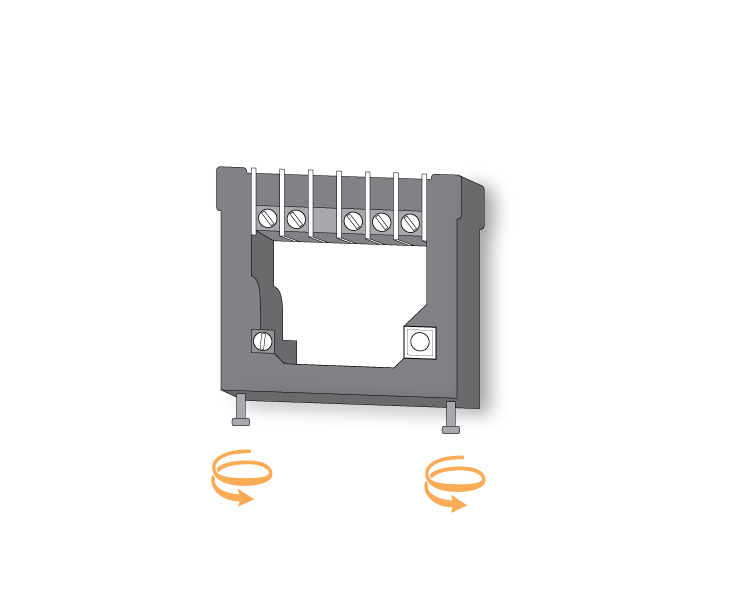
Remove the Wireless Room Thermostat from the wall by loosening the 2 screws on the underside of the Wireless Room Thermostat. This requires a flat balded screwdriver.
-
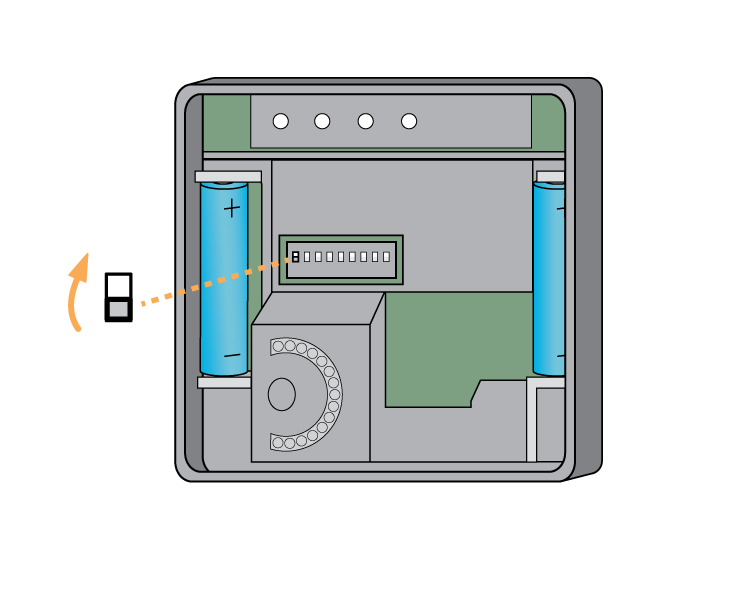
On the back of the Wireless Room Thermostat behind the wall mounting plate, there is a row of 8 white DIP switches.
-
Put switch 1 (the left most switch), to the UP (on) position.
-
-
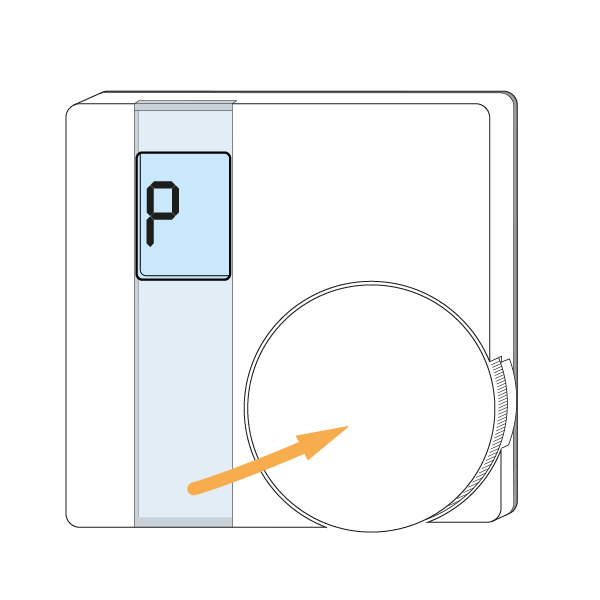
Turn over the Wireless Room Thermostat and rotate the dial on the front of the Wireless Room Thermostat, until 'P' is displayed on the LCD screen.
-
Press the dial twice in succession.
-
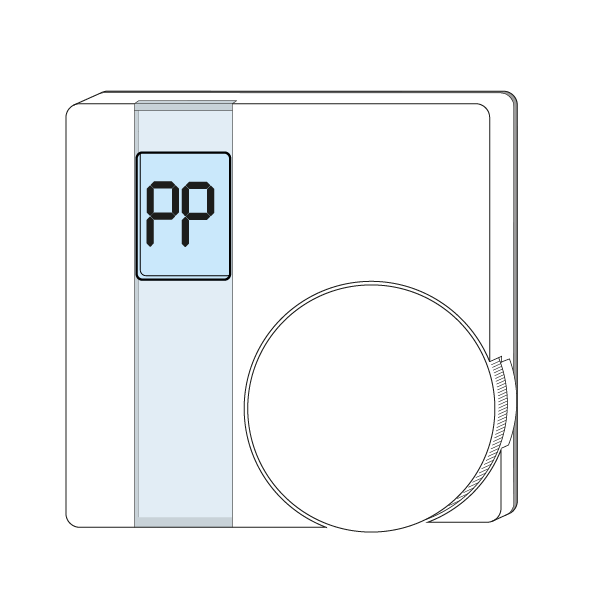
The LCD screen will read 'PP'.
How to add the Wireless Room Thermostat to a Genius Hub
The Wireless Room Thermostat is now in a factory reset to default state, to add it back onto the system again go to the 'Doctor' on the app which is under the 'Main Menu'.
Related Information:
- Genius Radiator Valves, Room Thermostats and Room Sensors all in the same zone
- Battery level hasn't updated since the batteries were changed
- Factory resetting a Wireless Radiator Valve (DA-WRV-E)
- Factory resetting a Genius Radiator Valve (DA-WRV-A/B/C)
- Adjustments you can make with our Genius Hub Devices to fine tune your setup