
If your Genius Hub is powered off, here is how to manually override the boiler controller, in order to operate your heating and hot water.
You can do this if you want to 'manually' override the heating or hot water without the app, or the Genius Hub is powered off, or not communicating.
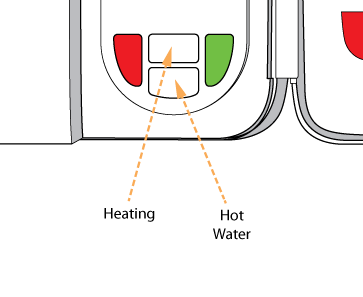
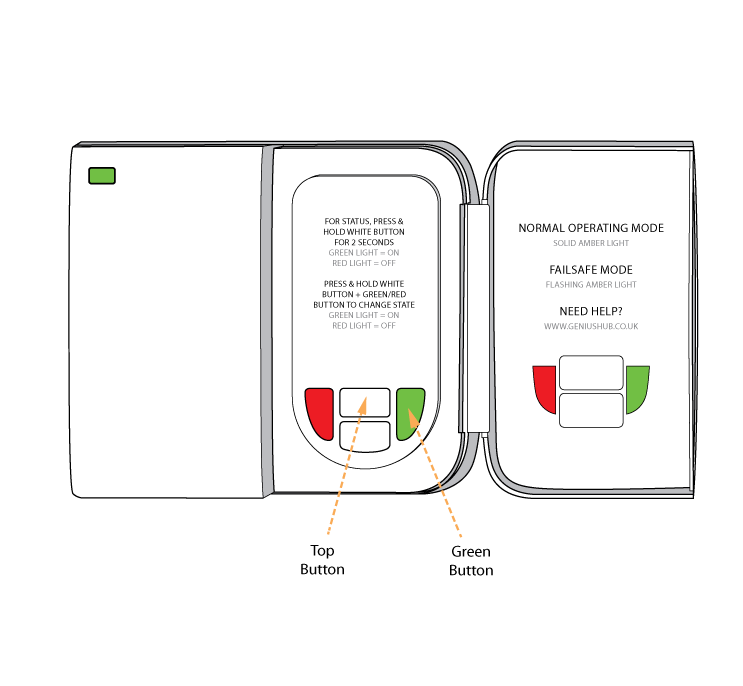
To turn Central Heating ON:
Hold down the TOP WHITE button AND the GREEN button.
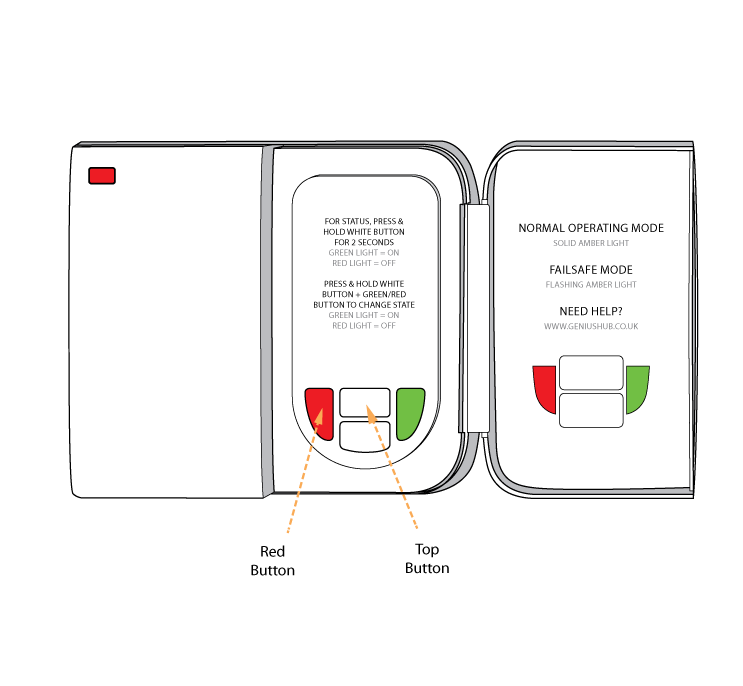
To turn Central Heating OFF:
Hold down the TOP WHITE button AND the RED button.
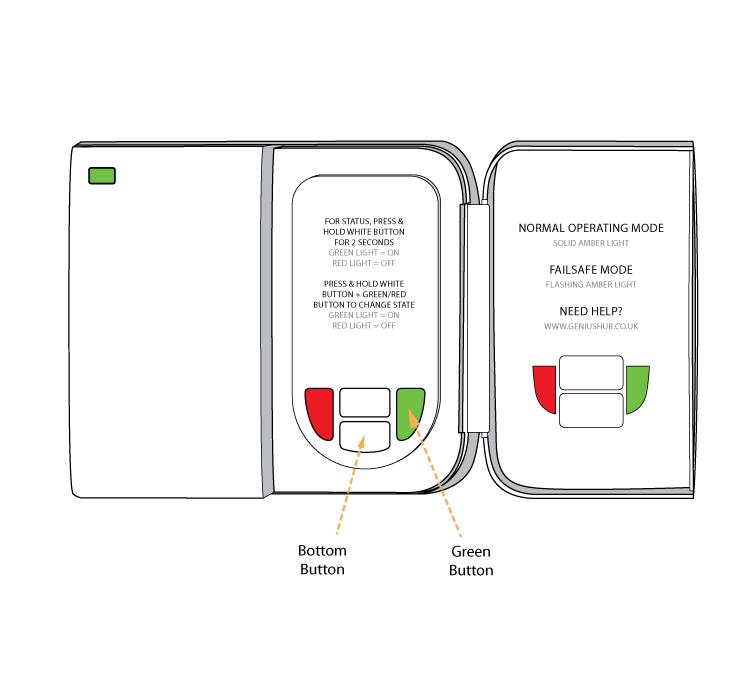
To turn the Hot Water ON:
Hold down the BOTTOM WHITE button AND the GREEN button.
To turn the Hot Water OFF:
Hold down the BOTTOM WHITE button AND the RED button.
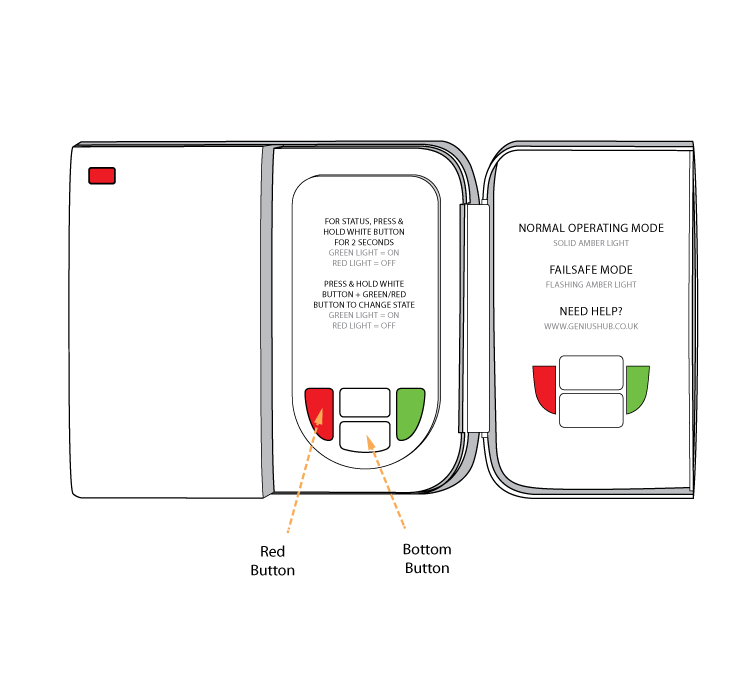
Please note that the above steps are valid for the majority of users. In some cases the positions of the Hot Water and Central Heating buttons may be swapped. This will be clearly marked on the inside of the cover.
Manually Override the 'Dual Chanel Receiver' (Heating and Hot Water)
Related Information: