
Why can't I log in after an update?
If you are unable to log in with your login details, or you are logged in but cannot see any zones, this is because of a temporary glitch caused by the app not linking to the updated Genius Hub software correctly.
How to fix this
1. If you are logged in, log out
Log out of the Genius Hub app by clicking the Main Menu, then your username and Logout.
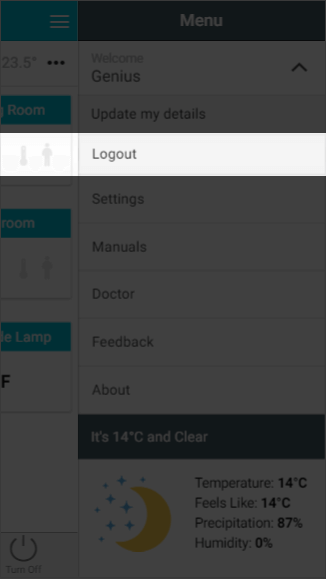
2. Fully close the app
Apple (iOS):
-
Swipe up from the bottom of the screen and pause to see your open apps (on iPhones with a Home button, press the Home button twice quickly)
-
Swipe left or right to find the Genius Hub app
-
Swipe up on the app's preview to close it
Android:
-
Open Settings and tap Apps
-
Find and tap the Genius Hub app
-
Tap Force stop
3. Reopen the app
Now re-launch the app and you should be able to log in again.