
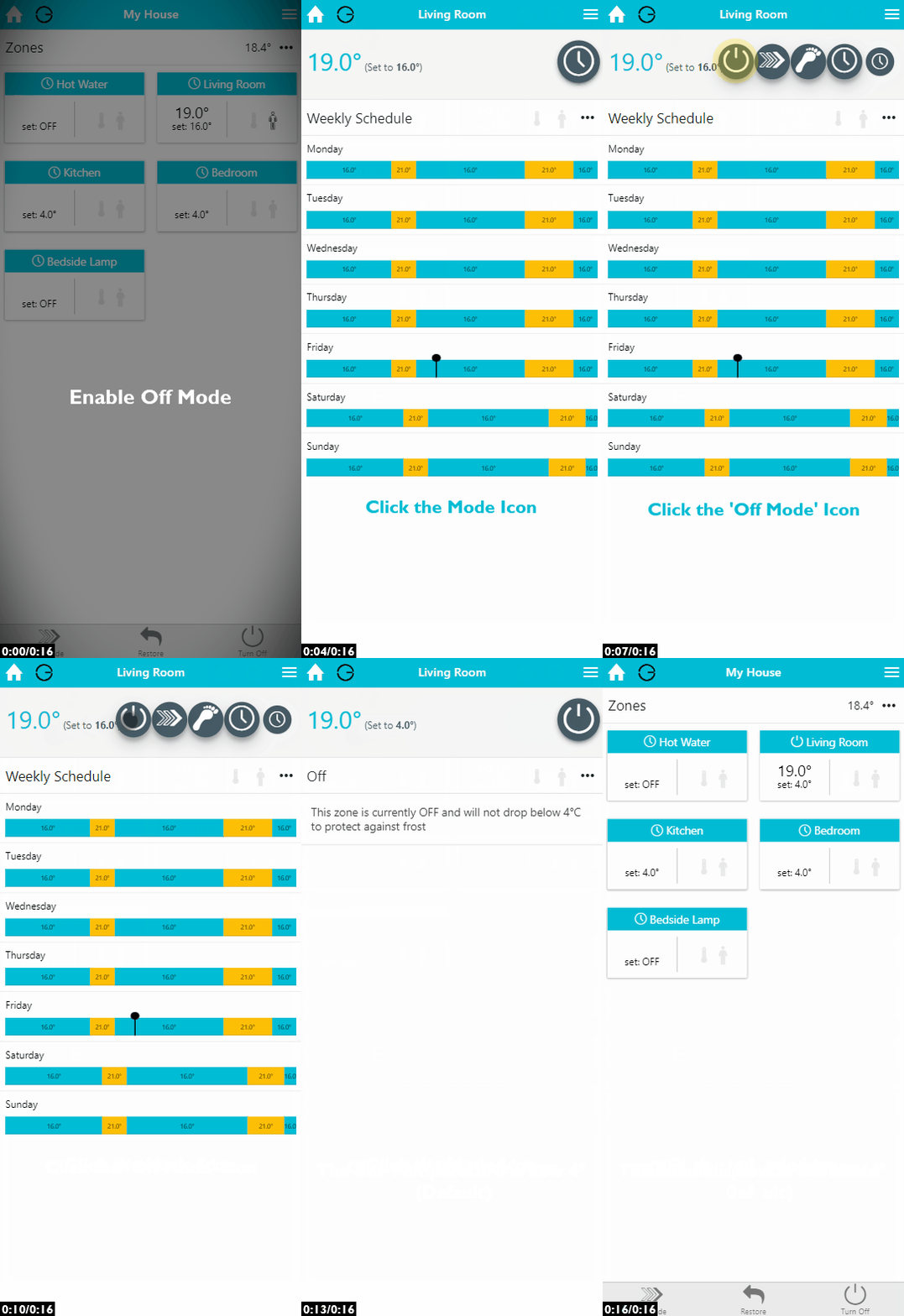
Use Off mode when you do not want a zone to heat up for a length of time, such as over the summer or if you are going on holiday.
|
Demonstration |
|---|
|
Off mode works slightly differently depending on the type of zone:
-
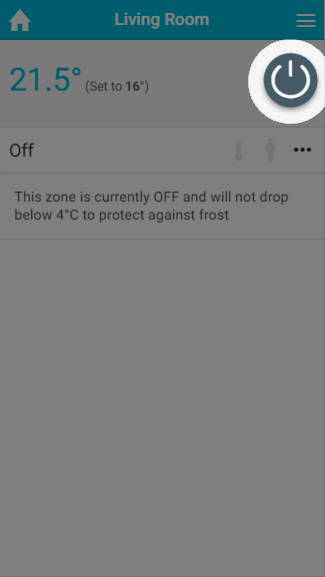
Heating zones: Radiator and Underfloor zones in Off mode will not call for heat unless the measured temperature drops below the frost protection temperature (4°C by default). This is explained in the on-screen message when you enter Off mode.
-
The frost protection temperature can be set between 4°C and 10°C from the Zone Setup page.
-
-
On/Off zones: The zone will stay off and will not turn on until it is changed to another mode (such as Timer, Sense or Override).
When you switch a zone to Off mode, its schedules and settings (including Timer and Sense schedules and Footprint settings and learning) are kept in the background, ready for when you switch back.
Zones in Off mode will not be overridden if the My House Thermostat is adjusted.
Turning all zones off
If you want to turn off all of your heating zones at the same time, for example if you are going on holiday, you can click the Off button on the My House page rather than turning off each zone individually. This does not affect On/Off zones.
To turn the zones back on, click the Restore button on the My House page. This returns the zones to the mode they were in before. For more information, see 'The My House page' chapter.
Overriding zones that are in Off mode
What happens after an override (from a device in the zone or from the app) depends on how the zone was turned off:
-
Turned off from the My House page: The zone will boost for the override, and when the override expires it will go back to the mode it was in before it was turned off (e.g. Timer, Sense or Footprint), not back to Off.
-
Turned off in the zone itself: The zone will boost for the override, and when the override expires it will go back to Off.
So, if you want zones off for now, but want them to return to their normal schedule automatically as soon as a guest or tenant starts using a room, use the Off button on the My House page. If you want a zone to stay off even after someone boosts it, put that zone into Off mode from the zone page.