
There are up to 4 tests to carry out to check that the Genius system has been installed correctly. Complete the tests that apply to the devices installed.
Valve Seating Test
This tests that the Wireless Radiator Valves have been fitted correctly.
-
In the app, override one zone to 28°C for 1 hour. Ideally, choose a room with only 1 Wireless Radiator Valve.
-
Click on the zone to override.
-
Click on the mode selector at the top-right and choose Override (the 3 arrows symbol).
-
Make sure the override temperature is 28°C and the override duration is 1 hour.
-
-
Check that the receiver unit is active:
-
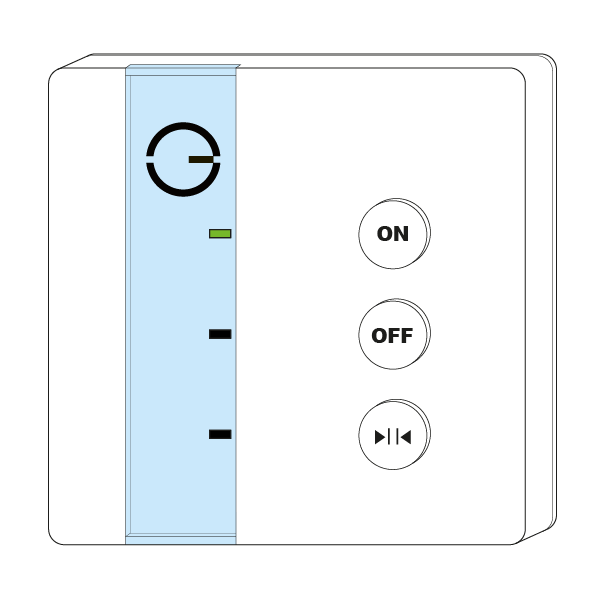
A Single Channel Receiver shows a green light.
-
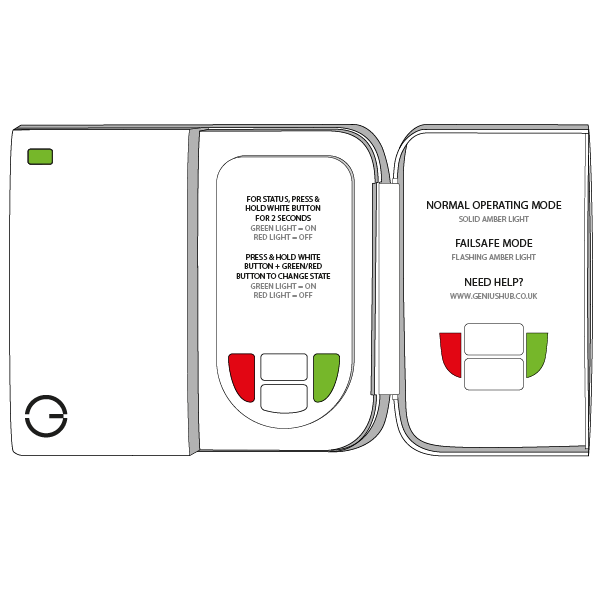
On a Dual Channel Receiver, hold down the Heating button: the light at the top-left will turn green for 2 seconds.
-
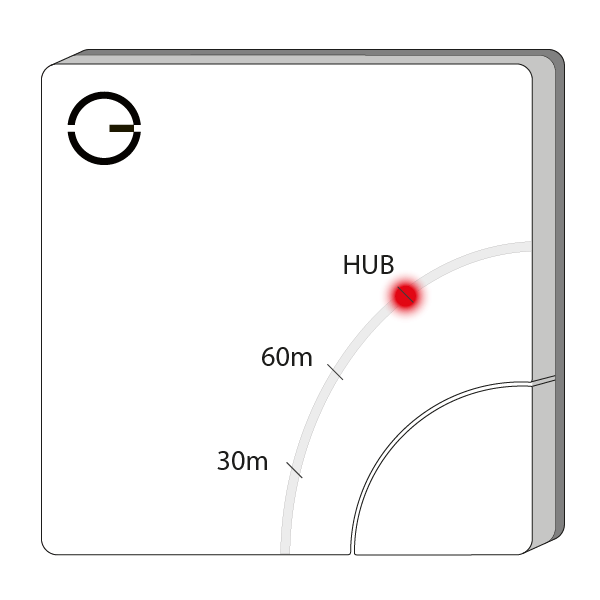
An Electric Switch shows a red light next to 'HUB'.
-
-
Check the boiler fires as normal and the correct zone valve has opened or pump has come on.
-
Check that the central heating pipe from the zone valve, pump or boiler gets hot.
-
Wait 10 minutes!
-
Now check the radiator flow and return pipes: every radiator should be cold, not hot, except in the overridden zone.
This confirms all the valves are properly seated on the radiators and can turn the radiators off.
Underfloor & Electric Heating Test
This tests that wired devices, such as receiver units and Electric Switches, have been wired correctly.
-
In the app, override one zone at a time to 28°C for 1 hour.
-
Click on the zone to override.
-
Click on the mode selector at the top-right and choose Override (the 3 arrows symbol).
-
Make sure the override temperature is 28°C and the override duration is 1 hour.
-
-
Check that the wired device is active:
-
A Single Channel Receiver shows a green light.
-
An Electric Switch shows a red light next to 'HUB'.
-
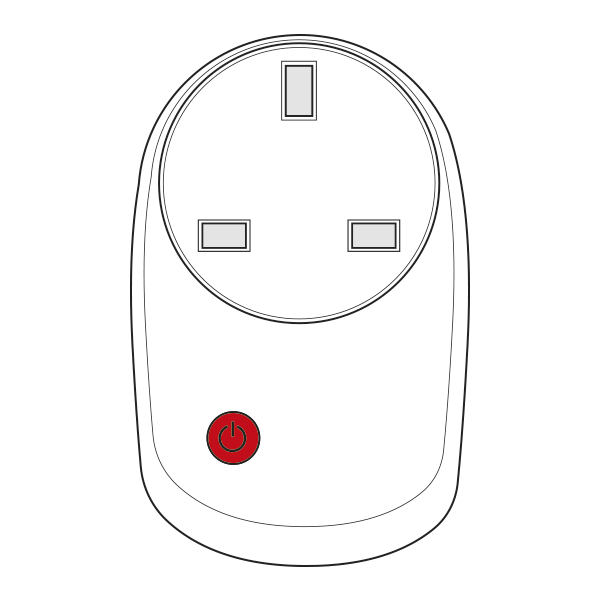
A Smart Plug shows a red light above the socket.
-
A Powered Room Thermostat shows a red light at the bottom-right of the display.
-
An Electric Relay shows a red light behind the button. You will need to remove the blanking plate to see it.
-
-
For wet underfloor heating, check the boiler fires as normal and the correct zone valve has opened or pump has come on.
-
Check that the central heating pipe from the zone valve, pump or boiler gets hot.
-
Wait 30 minutes!
-
Now check the floor nearest the flow and return pipes to see if it is getting warm. The other zones, not yet overridden, should stay cold.
-
-
For electric underfloor heating (controlled by a Powered Room Thermostat):
-
Wait 15 minutes!
-
Now check the floor to see if it is getting warm.
-
-
For electric space heating:
-
Wait 5 minutes!
-
Now check that the heater has begun to warm up. The other zones, not yet overridden, should stay cold.
-
The Communication Test
This tests that the Wireless Radiator Valves can communicate with the Genius Hub.
-
Override all of the heating zones to 28°C.
-
Click on the My House icon at the top-left.
-
Click 'Override' at the bottom of the screen.
-
Choose 'Select all'.
-
Make sure the override temperature is 28°C and the override duration is 1 hour.
-
-
Check that every zone shows the new set temperature in the app ('Set: 28').
-
You must wait 10 minutes! All of the valves will wake up on their own and receive the message to go to 28°C.
-
Check each Wireless Radiator Valve has received the message by pressing its button to light up the screen. Each valve should show the override temperature, i.e. 28°C.
-
This confirms all of the valves have good communication with the Genius Hub.
-
The radiators do not need to warm up for this test. When first installed, a valve may take up to 1 hour to start opening, as it learns how far the pin needs to open. It then keeps learning the radiator and room over the first couple of weeks of heating (see Chapter 9: Installing the Radiator Valves).
The Hot Water Test
This tests that the hot water has been wired correctly.
Only complete this test if hot water control is installed.
-
Override the hot water in the app for 1 hour.
-
Click on the hot water zone in the app.
-
Click on the mode selector at the top-right and choose Override (the 3 arrows symbol).
-
If the hot water is an On/Off zone, set the override to On.
-
If the hot water is a temperature zone, select a temperature much higher than the current measured temperature.
-
-
Make sure the duration is 1 hour.
-
-
Check that the receiver unit or Electric Switch controlling the hot water is active:
-
A Single Channel Receiver shows a green light.
-
On a Dual Channel Receiver, hold down the Hot Water button: the light at the top-left will turn green for 2 seconds.
-
An Electric Switch shows a red light next to 'HUB'.
-
-
Check the boiler fires as normal and the correct zone valve has opened or pump is running.
-
This confirms the Genius Hub has control over the hot water.
-
If the boiler does not fire, the cylinder thermostat may be stopping it because the hot water tank is already up to temperature. To check, temporarily turn up the cylinder thermostat and confirm the zone valve opens and the boiler fires. Return the cylinder thermostat to a suitable setting for the property after the test.