
Before you begin
There must be:
-
A working internet connection with at least 1 spare Ethernet port on the internet router.
-
Working power in the property, with a free plug socket near the internet router.
-
A working heating system, with suitable fuel and water pressure (if applicable).
-
An internet-connected device with a suitable web browser, or one that can run Android/iOS apps.
The first component to install is the Genius Hub. This is the 'brains' of the system: it communicates with all of the other devices and lets you control the heating remotely.
-
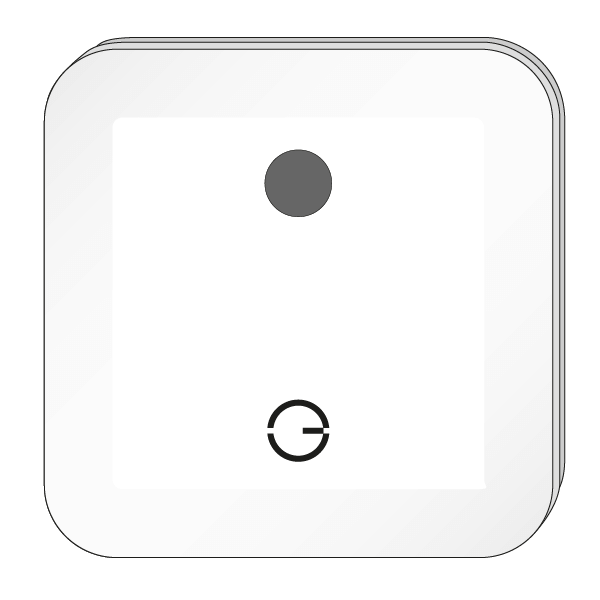
The Genius Hub can be placed flat on a surface, such as a cabinet, or mounted on a wall. To mount it on a wall, first remove the back plate: turn the Genius Hub around so the logo faces away from you, with the cutout for the Ethernet cable at the bottom. Holding the outside of the Genius Hub, slide the segmented back plate in the centre downwards. Once it has moved about 1cm, it can be pulled away from the Genius Hub.
-
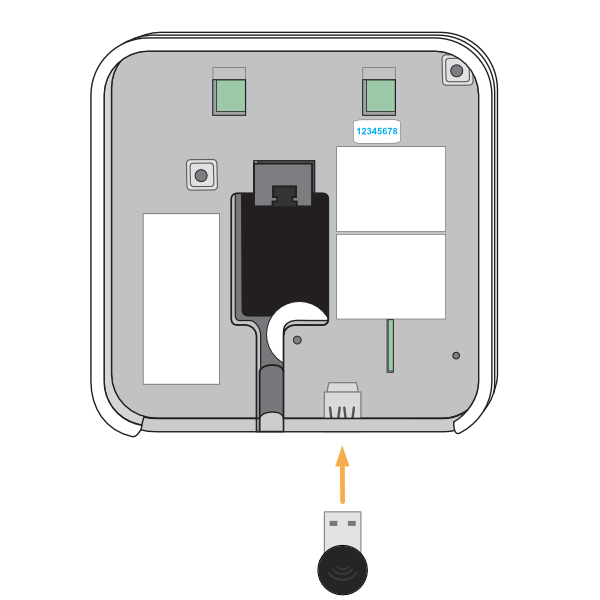
Make a note of the 8 blue characters on the underside of the Genius Hub (behind the back plate). This is the temporary username used in Chapter 2: Logging onto the Genius Hub.
-
If you are wall-mounting the Genius Hub, place the Ethernet cable through the cutout, then screw the back plate to the wall with the segmented part facing the wall.
-
If the system includes Wireless Radiator Valves (DA-WRV-E) or Smart Plugs (PH-PLG-E), make sure the Communications Adapter is installed in the Genius Hub. If it is not, insert it into the USB port on the bottom of the Genius Hub.
-
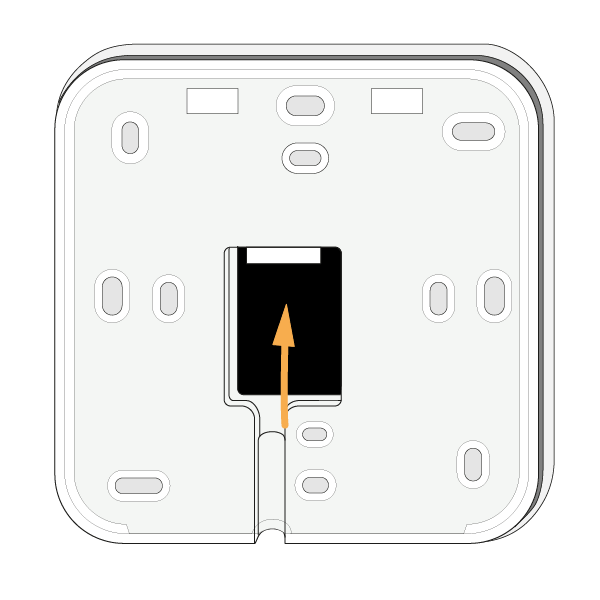
Connect the Genius Hub to the internet router using an Ethernet cable. This fits into the port in the middle of the back of the Genius Hub.
-
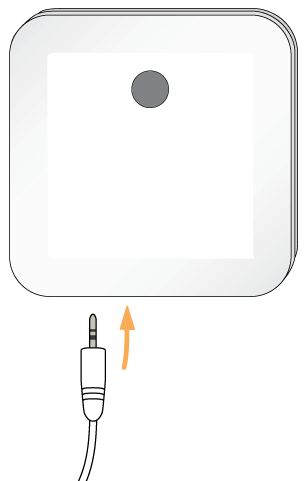
Plug the USB power cable into the Genius Hub (until you hear it click) and into the power supply provided, then plug the power supply into a wall socket. A green light will appear on the left-hand side.
-
When the Genius Hub has connected to the internet router, a second, regularly flashing green light will appear on the left-hand side.
Do not power the Genius Hub from a USB port on the internet router. It will not provide enough power to operate the Hub correctly.
Positioning the Genius Hub
-
The low-power wireless signal to other devices is easily blocked by thick walls, large objects and water.
-
Make sure the Genius Hub is in an open space and not hidden behind heavy objects. For the best wireless communication, fit it above floor level and at least 30cm away from metal objects and appliances such as: boiler, hot water tank, microwave oven, cooker, fridge/freezer, stainless steel sink, TV, set-top box (satellite/cable/Freeview), radio, printer, photocopier or computer (desktop/laptop).
-
The Genius Hub should be at least 100cm away from RF devices, such as cordless phones, mobile phone signal boosters and Wi-Fi signal boosters. If communication problems occur, you may need to move the Genius Hub.
-
Do not leave a mobile phone resting on, or right next to, the Genius Hub.