
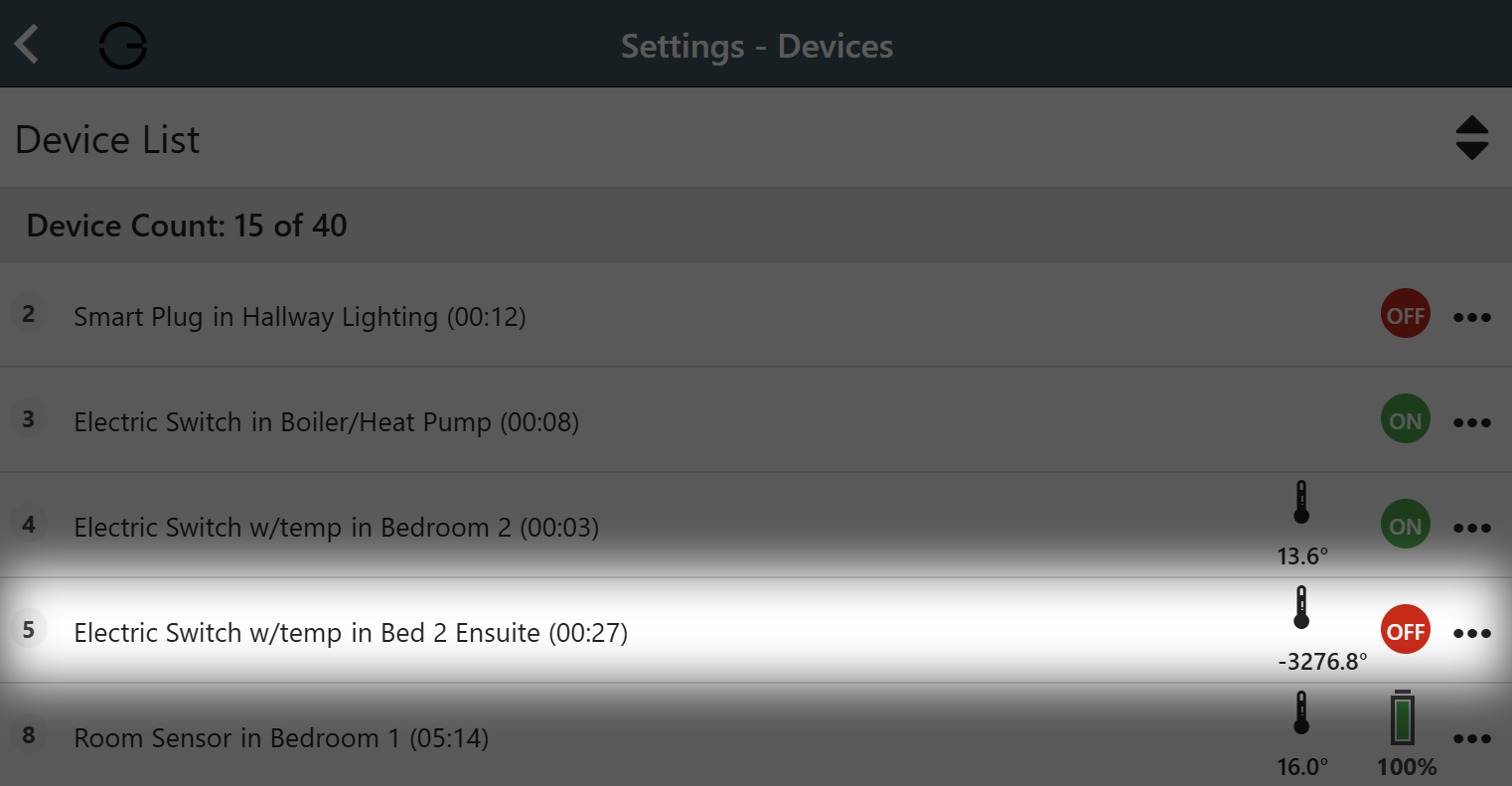
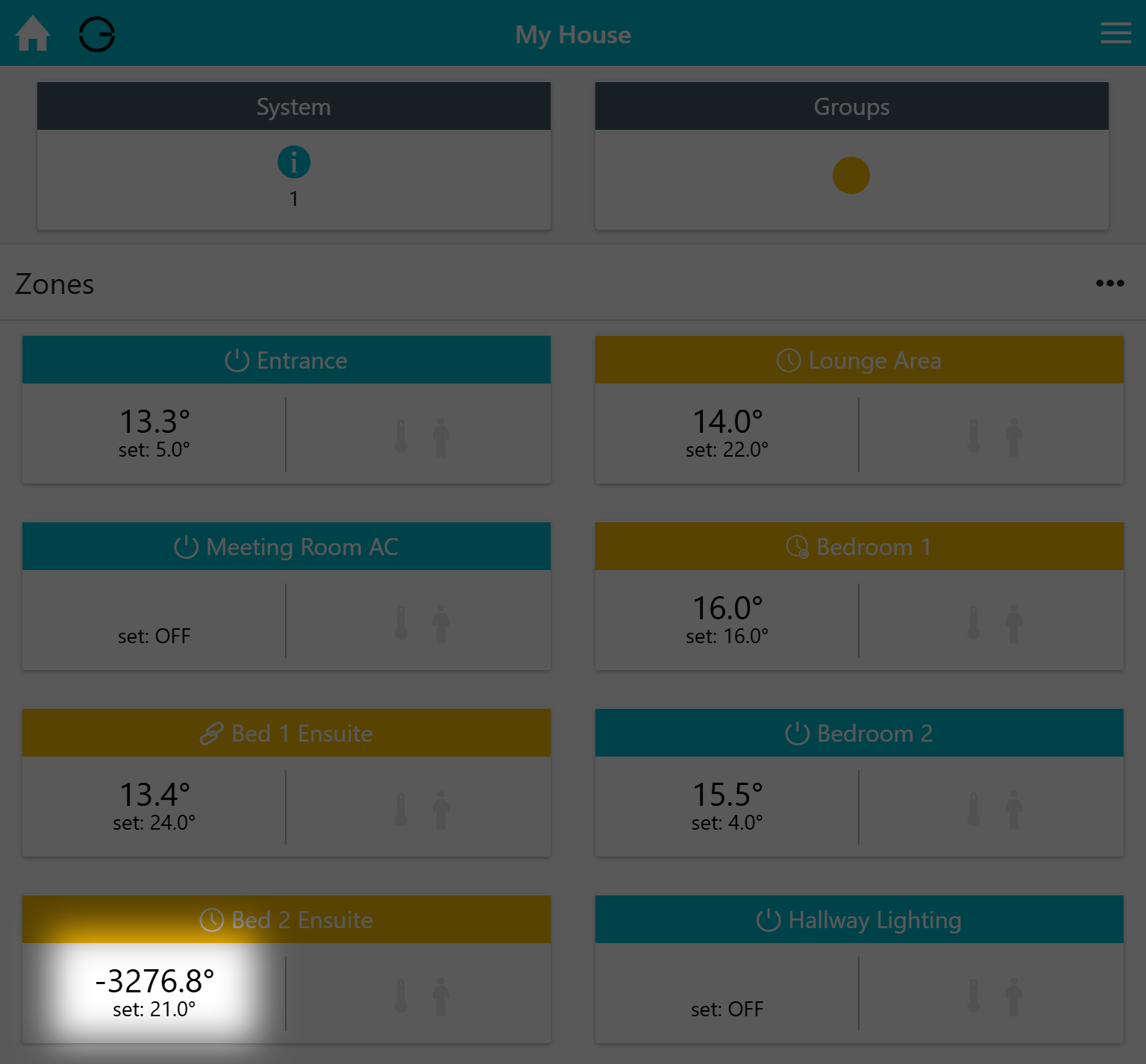
If your Temperature Probe (Air or Floor) stops working correctly, it may display a temperature reading that is clearly incorrect or physically impossible (for example, an extremely high or low value that does not reflect the actual room conditions).
The Temperature Probes are optional add-on accessories that connect directly to your Electric Switch. They send temperature readings to the switch so it can monitor and control the heating properly. If the probe becomes damaged, loose, or faulty, the Electric Switch itself may receive incorrect information, which can result in unusual or inaccurate temperature readings.
Likely Cause
This issue is usually caused by one of the following:
-
The Temperature Probe is damaged or faulty
-
The probe wiring is loose
-
The probe is not correctly connected to the Electric Switch terminals
|
Example A |
|---|
|
|
Example B |
|---|
|
Important Safety Information
Do not do anything with electrical wiring, unless you are confident and competent to do so!
UK legislation defines a competent person as:
“A competent person is someone who has sufficient training, experience, knowledge, and other qualities that allow them to carry out the task safely and properly.”
If you are not an electrically competent person, you should arrange for a qualified electrician to carry out the checks below.
PLEASE NOTE: Genius Hub are unable to provide assistance with checking or modifying wiring. An electrically competent person can use the provided wiring diagrams to inspect or install a Genius Hub system safely.
Action
To fix the connection of the Temperature Probe to the Electric Switch:
1. Isolate the Power
-
Turn off the power to the Electric Switch.
-
This is typically done by switching off the fused spur located near the Electric Switch.
-
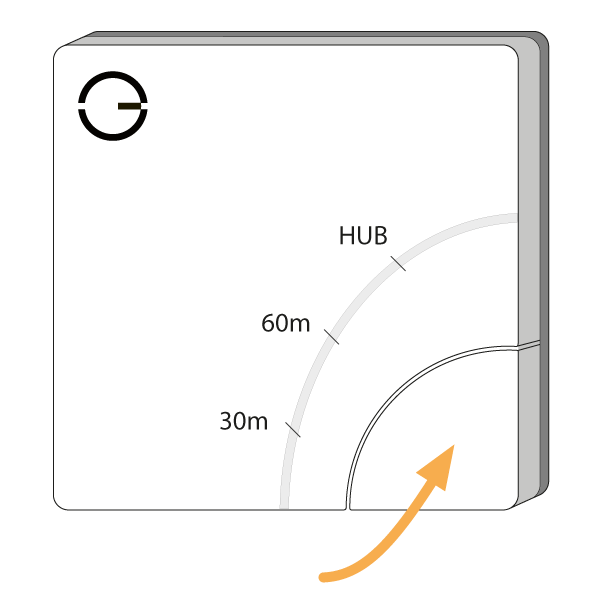
Confirm the power is off by pressing the button on the front of the Electric Switch.
-
If the power is off, no red lights should appear.
2. Remove the Electric Switch Cover
-
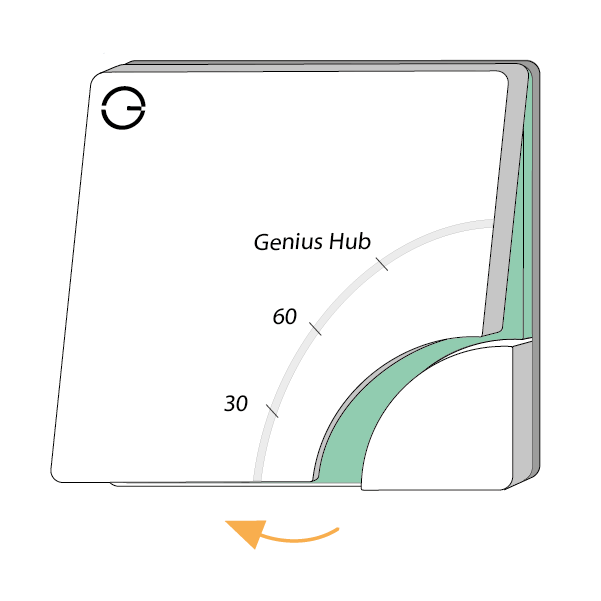
Remove the front cover of the Electric Switch.
-
Undo the two screws securing the Electric Switch to the pattress box.
-
Carefully pull the unit forward to access the wiring terminals.
3. Check the Temperature Probe Wiring
-
Locate the dedicated Temperature Probe terminals (near the bottom of the Electric Switch).
-
Ensure both probe wires are securely connected.
-
Reinsert or tighten the wires if necessary.
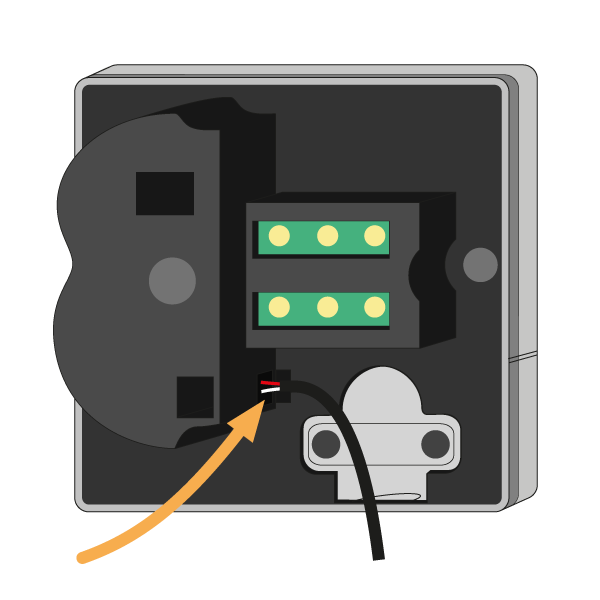
NOTE: The Temperature Probe wires are not polarity sensitive. Either wire can go into either terminal.
4. Reassemble the Electric Switch
-
Secure the Electric Switch back into the pattress box.
-
Reattach the cover (start by hooking the top in first).
-
Restore power at the fused spur.
Reconfigure the Electric Switch
Once power is restored, the Electric Switch must be reconfigured to ensure it reports temperature correctly.
On the device, navigate to:
MAIN MENU > SETTINGS > DEVICES > Select Device > ●●● > CONFIGURE
This will:
-
Reinitialise the device
-
Ensure temperature readings are correctly transmitted
-
Trigger communication between the Electric Switch and the Genius Hub
If the issue persists after these checks, the Temperature Probe itself may need replacing.